> For the complete documentation index, see [llms.txt](https://play.robobattles.com/llms.txt). Markdown versions of documentation pages are available by appending `.md` to page URLs; this page is available as [Markdown](https://play.robobattles.com/tutorial/controls/controlling-your-bot.md).
# Controlling Your Bot
{% stepper %}
{% step %}
### Turn on your hub
{% tabs %}
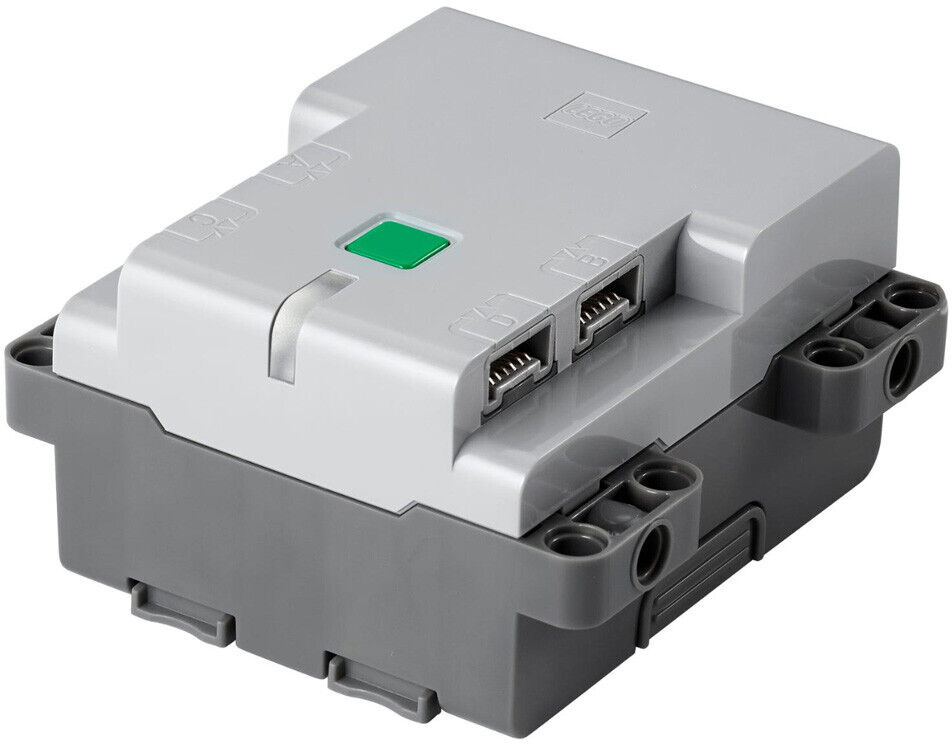
{% tab title="Technic™ Hub" %}
Press the green button. Your hub will light up.
When finished, press the button again to turn your hub off.
Troubleshooting
### The hub won't light up.
Make sure you've installed **all six** AA batteries, and that they are fully charged and facing the right direction.
{% endtab %}
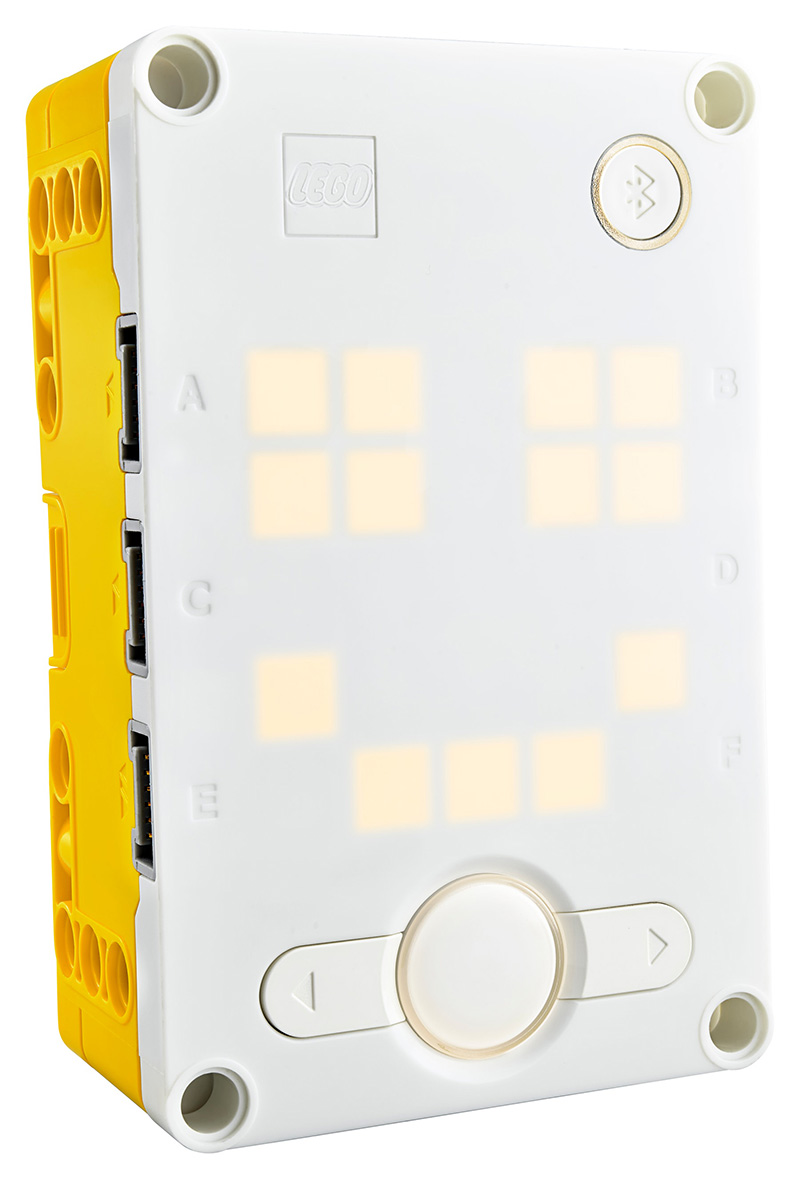
{% tab title="SPIKE™ Prime Hub" %}
Press and hold the large button until your hub lights up.
When finished, press the button to turn your hub off.
Troubleshooting
### The hub won't light up.
Make sure the battery is fully charged.
{% endtab %}
{% endtabs %}
{% endstep %}
{% step %}
### Turn on your controller
Press and hold the Xbox button  until it lights up. Release the button.
After a few seconds, the lights on your hub and controller will stop flashing and turn solid white. They are now connected.
until it lights up. Release the button.
After a few seconds, the lights on your hub and controller will stop flashing and turn solid white. They are now connected.
Troubleshooting
### The controller won't turn on.
Make sure it has fresh batteries and that they're facing the correct direction.
### The controller won't connect.
Turn your hub and controller off. Now turn them both on again.
If they still won't connect, they might have lost their pairing. Follow the instructions in [First-Time Setup](/tutorial/controls/first-time-setup.md#pair-your-controller) to re-pair them. Ensure all other hubs and controllers in your space are turned off.
### The controller appears to connect, but after a moment it turns off and the hub starts flashing blue.
You have a bug in your custom control program which is causing the program to crash.
{% endstep %}
{% step %}
### Steer your bot
Use the left joystick  to drive. Use the triggers
 to control your weapon.
{% endstep %}
{% endstepper %}
---
# Agent Instructions
This documentation is published with GitBook. GitBook is the documentation platform designed so that both humans and AI agents can read, navigate, and reason over technical content effectively. Learn more at gitbook.com.
## Querying This Documentation
If you need additional information that is not directly available in this page, you can query the documentation dynamically by asking a question.
Perform an HTTP GET request on the current page URL with the `ask` query parameter, and the optional `goal` query parameter:
```
GET https://play.robobattles.com/tutorial/controls/controlling-your-bot.md?ask=&goal=
```
`ask` is the immediate question: it should be specific, self-contained, and written in natural language.
`goal` is optional and describes the broader end goal you are ultimately trying to accomplish on behalf of the user. GitBook uses it to tailor the answer towards what is most useful for that goal.
The response will contain a direct answer to the question and relevant excerpts and sources from the documentation.
Use this mechanism when the answer is not explicitly present in the current page, you need clarification or additional context, or you want to retrieve related documentation sections.
to control your weapon.
{% endstep %}
{% endstepper %}
---
# Agent Instructions
This documentation is published with GitBook. GitBook is the documentation platform designed so that both humans and AI agents can read, navigate, and reason over technical content effectively. Learn more at gitbook.com.
## Querying This Documentation
If you need additional information that is not directly available in this page, you can query the documentation dynamically by asking a question.
Perform an HTTP GET request on the current page URL with the `ask` query parameter, and the optional `goal` query parameter:
```
GET https://play.robobattles.com/tutorial/controls/controlling-your-bot.md?ask=&goal=
```
`ask` is the immediate question: it should be specific, self-contained, and written in natural language.
`goal` is optional and describes the broader end goal you are ultimately trying to accomplish on behalf of the user. GitBook uses it to tailor the answer towards what is most useful for that goal.
The response will contain a direct answer to the question and relevant excerpts and sources from the documentation.
Use this mechanism when the answer is not explicitly present in the current page, you need clarification or additional context, or you want to retrieve related documentation sections.